
ABASC BOM Browser: Entry via Sales Order, Project, and Variant Configuration
In response to inquiries about the BOM Browser, I was repeatedly asked about its use with variant configuration. Direct access via sales orders was also a recurring topic.
Previously, it was possible to select configurable materials and perform multi-level BOM explosions, i.e. analyze maximum BOMs without considering a specific configuration. The initial materials were selected exclusively based on material attributes, not on their use in a sales order or project.
The existing BOM explosion functionality, including master data checks for all materials involved, is also very useful for configurable materials when checking the entire structure for completeness.
I have now developed three additional entry paths for the ABASC BOM Browser with master data checks:
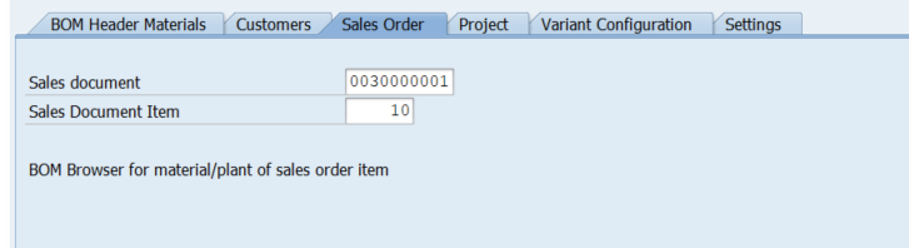
(1) Entry via Sales Order Item
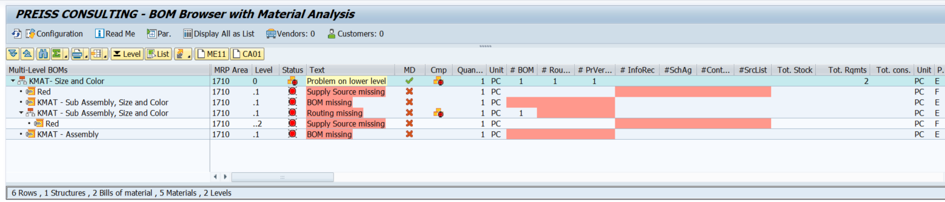
The BOM for the material in the sales order item is exploded across multiple levels and displayed with the same information as for the other entry points. This provides a quick overview of the entire production and procurement structure in the supplying plant and related plants, all the way down to the suppliers.
During a product launch, this can also be used to check the completeness of the relevant master data. For sales orders involving variant configuration, the BOM is exploded using the configuration from the sales order.
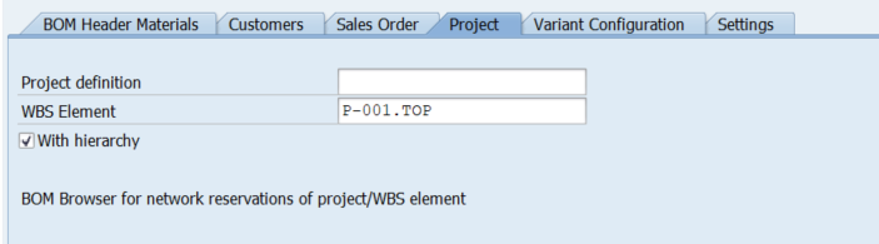
(2) Entry via Project, WBS Element, or WBS Hierarchy
The materials are determined from the associated network components, and their BOMs are exploded. Optionally, subordinate WBS elements can also be included.
This provides project-based manufacturers with a comprehensive overview of the production and procurement structures of a project or subproject.
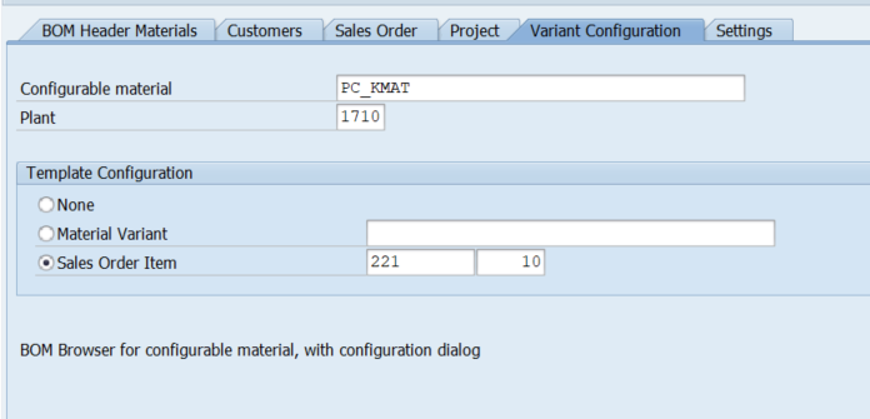
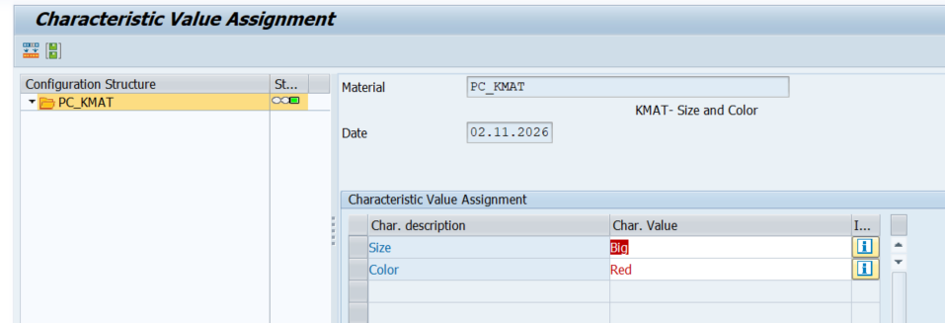
(3) Entry via Configurable Material (KMAT) with Configuration Dialog
An existing sales order or material variant for the same KMAT can be used as a configuration template.
Within the BOM Browser, the configuration dialog can be reopened to modify the configuration and re-explode the BOM.
This is particularly useful for simulating different configurations and analyzing their impact across all BOM levels and, where applicable, across plant boundaries all the way down to the suppliers.
The extensive information available—including master data counts, master data checks, stock, consumption, requirements, and material attributes—provides the transparency needed to make informed decisions.
With these enhancements, BOM structures can be analyzed not only based on material attributes but also directly from specific sales orders, projects, and configurations.
I welcome feedback on the new features and further suggestions from SAP users.
More information: Product page , presentation, presentation as PDF
This post is also available in:







Leave a Reply
Want to join the discussion?Feel free to contribute!